Overview
Every developer I know has the same problem: knowledge scattered everywhere. A useful hook buried in a Slack thread. A CLI command you ran six months ago, somewhere in your terminal history. A prompt that actually worked, lost in a chat window you'll never find again
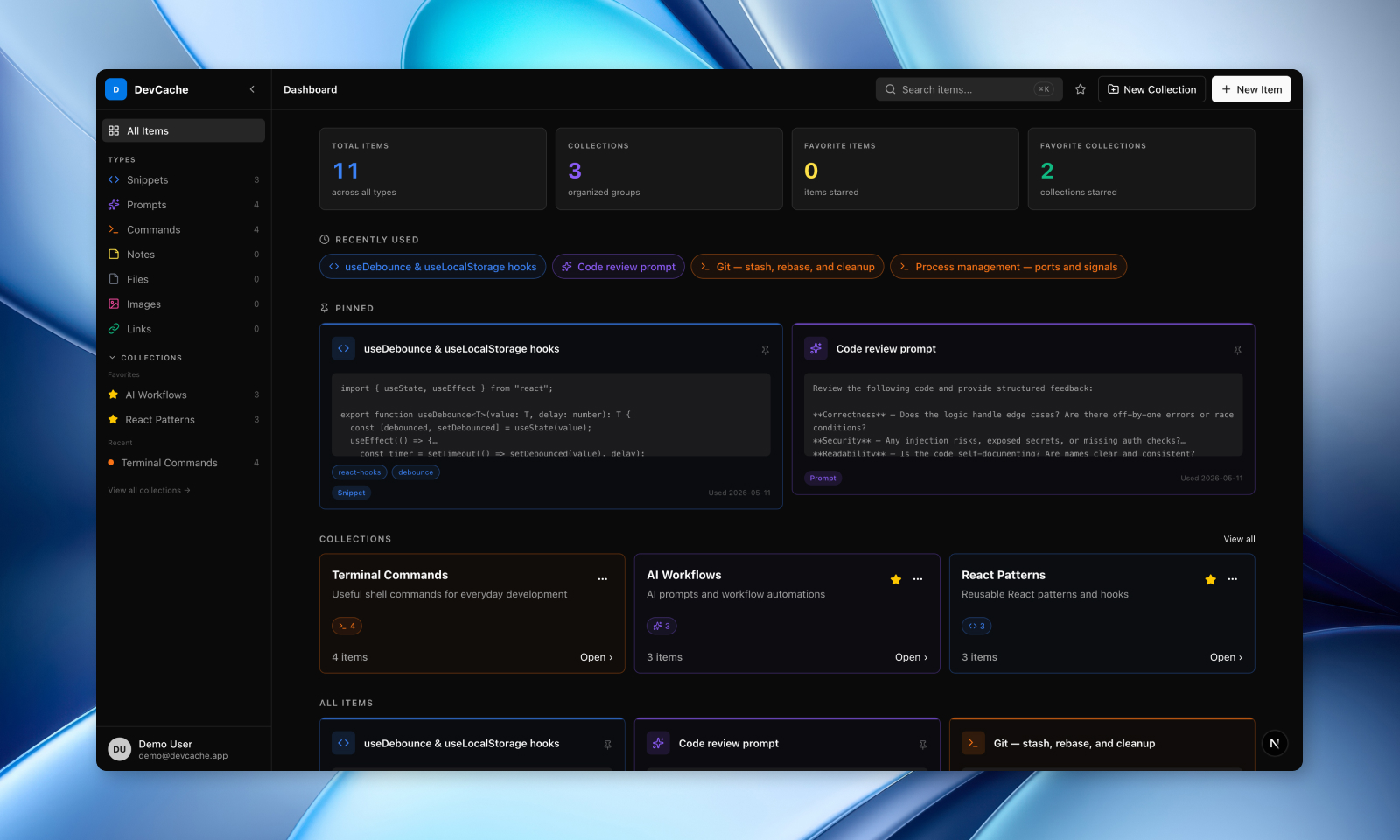
DevCache is my answer to that: a personal knowledge hub where you can store, tag, and instantly retrieve the things you accumulate as a developer: code snippets, AI prompts, CLI commands, notes, links, and files. Think of it as a bookmarks manager and snippet library built specifically for how developers actually work
The tagline I settled on says it best:
One place for every snippet, prompt, and command
The Problem Worth Solving
I kept running into the same friction. I'd write a good reusable utility, then forget where it was. I'd craft an effective system prompt for a task, use it once, and never find it again. Text files, VS Code workspace snippets, and browser bookmark folders were a mess. Technically stored, practically lost
What I wanted was something searchable, organized by type, and fast to access. Something that didn't feel like a generic notes app, but was designed around the way developers work
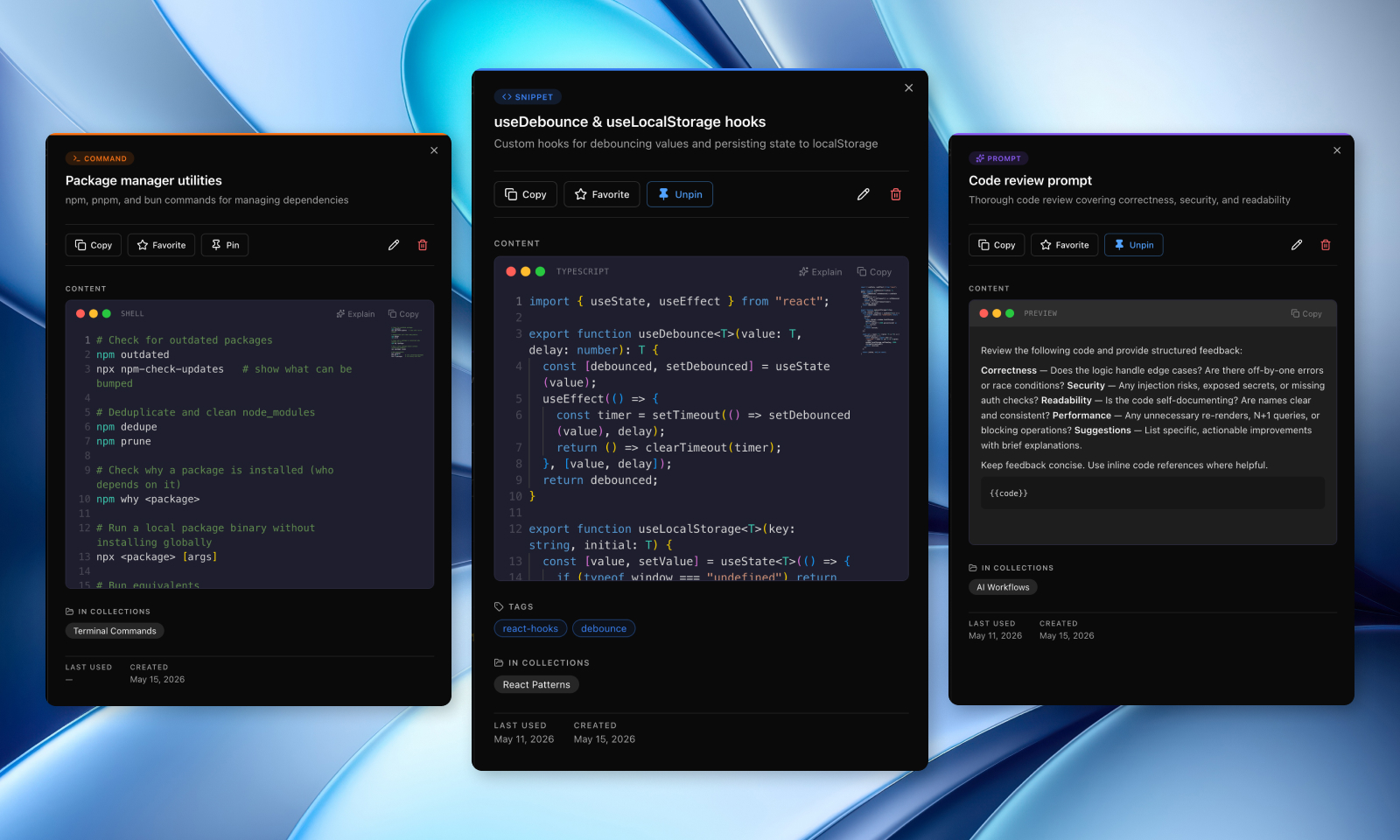
DevCache supports seven item types: code snippets (with Monaco editor and syntax highlighting), AI prompts, CLI commands, notes (Markdown with live preview), links, files and images (via Cloudflare R2), and a global command palette to search across everything instantly
Technical Highlights
The stack leans into what I'm comfortable shipping fast with, while pushing into a few areas I wanted to explore more deeply
Next.js 16 App Router gave me the full-stack foundation: API routes, server components, and layouts all in single codebase. I paired it with Prisma 7 on PostgreSQL for the data layer, with a schema built around users, items, item types, collections, and tags
NextAuth v5 handles authentication with GitHub OAuth and email/password with optional email verification supported via Resend.
Upstash Redis backs the rate limiting on sensitive API endpoints, with a fail-open default for local development
Stripe powers Pro subscriptions, and Cloudflare R2 handles file storage for the Pro file upload feature
The AI layer uses OpenRouter, which is accessible enough to prototype against any model without locking in, and the integration enables auto-tagging, smart summaries, code explanation, and prompt optimization for Pro users
Development Approach
DevCache was built almost entirely through an AI-assisted development workflow, but not vibe coding
There's a real difference. Vibe coding is throwing prompts at a model and accepting whatever comes out. What I built here is a structured process where AI acts as a collaborator at every stage: planning, architecture, implementation, and review. I stay in the loop on every decision; the AI handles execution speed
The workflow runs through Claude Code as the primary development interface. I leaned into its plan mode for thinking through features before touching code, and built out custom subagents for targeted tasks:
auth-auditorfor reviewing authentication and authorization flowscode-scannerfor security and quality auditsrefactor-scannerfor spotting duplicationui-reviewerthat uses Playwright to catch visual issues
Context engineering is what made this sustainable. Rather than re-explaining the project every session, I maintain a CLAUDE.md with project architecture and conventions, a context/ directory with coding standards, a current-feature.md for active feature tracking, and feature specs that persist between sessions. The AI always has what it needs to pick up where we left off
I also wired up MCP integrations:
- Neon for database context
- Playwright for E2E test automation
- Context7 for pulling in up-to-date library documentation on demand
The important part: all generated code goes through human review before it lands. Architecture decisions are intentional. The AI accelerates, I take control of the steer
What I Learned
Building DevCache clarified something I'd been feeling for a while: the value of a structured AI workflow compounds over time. The first session feels fast, but in the long run, you're operating at a pace that's genuinely difficult to achieve alone: sometimes it drifts in mid-session, but because the context is maintained, the conventions are enforced automatically, and the repetitive parts of feature work just disappear
It also pushed me to think harder about context design than I expected. Writing good specs, maintaining clear coding standards, and structuring your CLAUDE.md well turns out to be the real leverage point. The model is only as useful as the context you give it
The live demo is available at devcache.netlify.app if you want to try. Technically it's a free to use SaaS with a Pro tier for unlimited items, AI features, and file uploads. The code is on GitHub if you want to see the workflow files in action