Overview
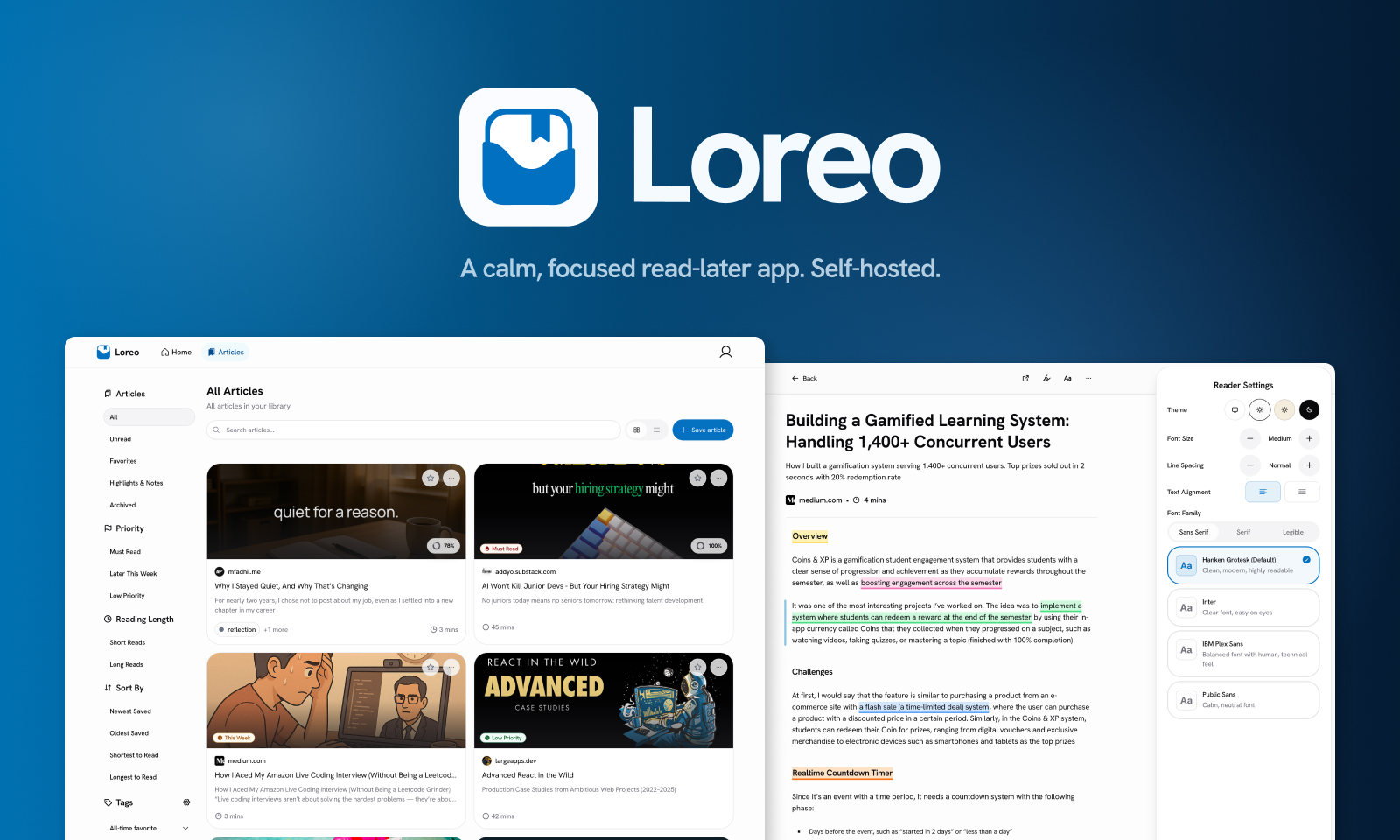
Loreo is a self-hosted read-later app for saving articles worth revisiting. It's built around a simple belief: you shouldn't have to consume everything immediately. Save something once, trust it will be there, and come back when you actually have the time and focus for it. The goal is not productivity maximization, but creating a calmer relationship with information
The name comes from "Lore": the story or content. It reflects the app's philosophy: letting things flow naturally, saving now and returning later, without pressure
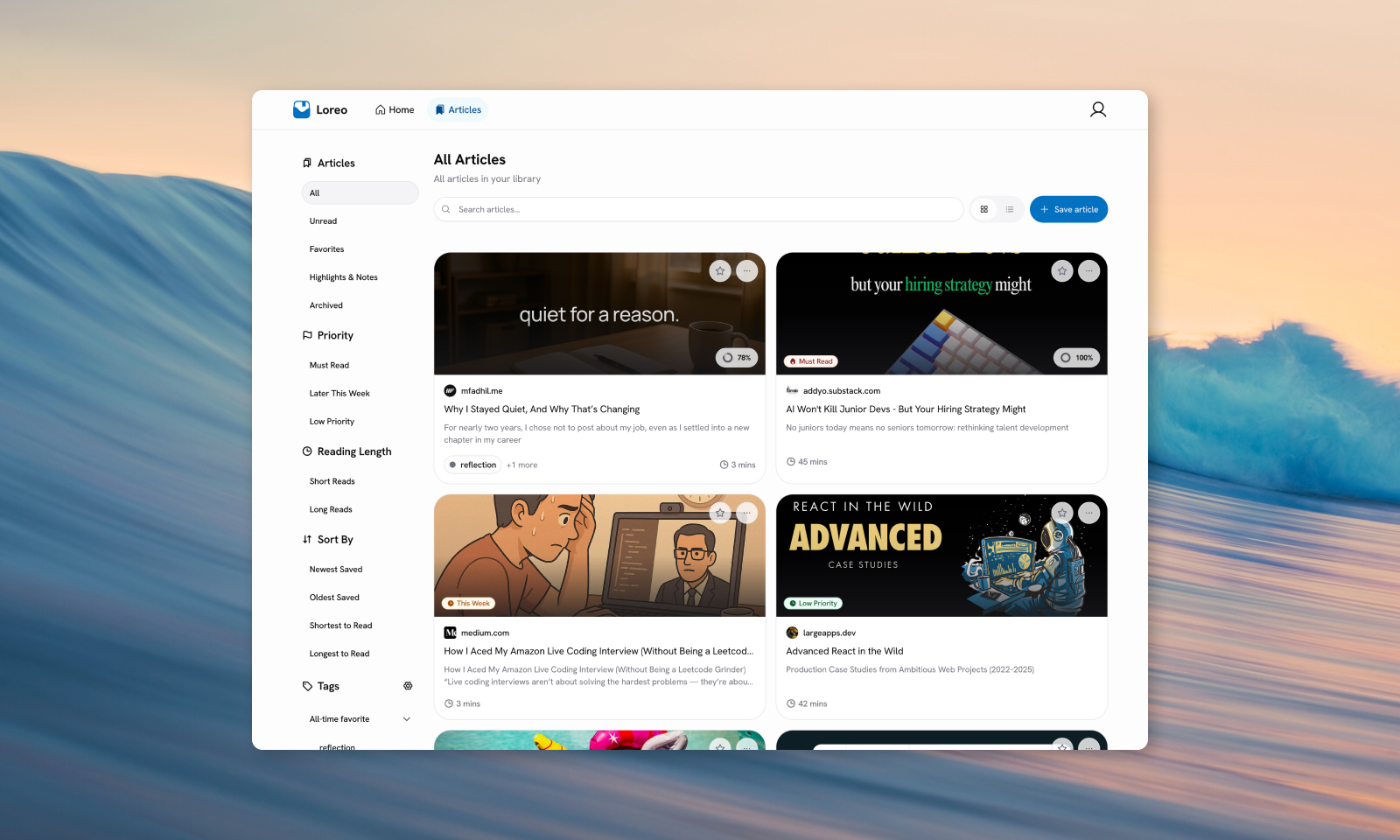
I built it after Pocket shut down their service. I had been using Pocket for a decade, and I had more than 4,000 saved links I didn't want to lose. I tried several alternatives, but most either just bookmarked links without saving content, had cluttered dashboards, or features I didn't need. So I decided to build the thing I actually wanted
Challenges
Content Extraction Quality
Initially, I was using a simple fetch wrapper to get the content of a website. But then I realized that some websites needs JavaScript to render their content, such as Medium. I tried to find open source repositories that had a similar content extraction approach, and found that Karakeep had an interesting pipeline: a user save a URL, then it gets crawled using a headless browser to get the full content of the page, which adds a reliability. Then I hit another obstacle: I needed to make the crawling process look like it was being accessed by a real human by adding a "real" User Agent to make the content visible and extractable
Even with a real browser rendering the page, getting clean, readable article content is its own problem. JavaScript-heavy pages, cookie banners, newsletter popups, and inconsistent HTML structures all fight against you. Mozilla Readability handles the heavy lifting for content extraction, but it still needs the right DOM to work from, which is where Camoufox's anti-detection browser behavior mattered
The goal was reader view quality close to what Pocket provided: clean prose structure, images preserved where they add value, no unnecessary elements. Getting that consistently across a wide variety of sites required tuning the extraction pipeline more than I expected
Migrating 4,000+ Links Without Losing Content
Pocket's export format gives you URLs, title, excerpt, and time added, but not article content. There's a good chance that the exported URLs are years old; some are paywalled, some are dead from link rot, and some have changed entirely
I wanted actual content preservation. This meant building a scraping pipeline that could process thousands of URLs reliably, handle failures gracefully, and recover from the inevitable edge cases such as redirects, bot detection, out-of-memory crashes from pages with heavy JavaScript, and URLs that simply hang indefinitely
I used Playwright with Camoufox for browser-based extraction and BullMQ for background job processing. The hardest part wasn't getting it to work on a single URL; it was making it stable across thousands, with proper timeout handling, retry logic, and memory management. I ended up replacing metascraper (which had become a liability) with about 30 lines of custom metadata extraction code that just worked more reliably for my use case
Reading Experience as a UI Engineering Problem
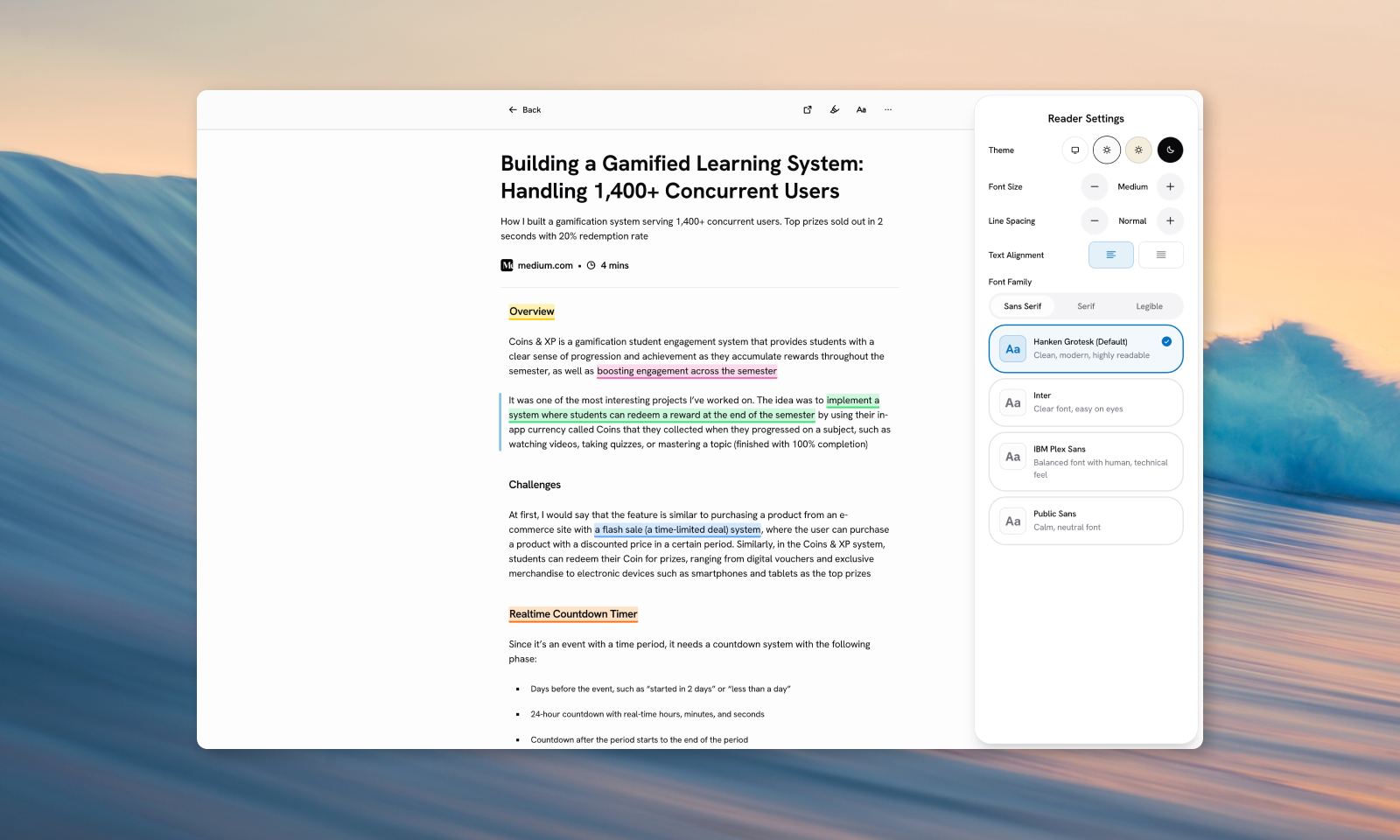
Reading view is the whole point of Loreo. Everything else such saving, organizing, tagging is infrastructure for getting you there. So I spent a disproportionate amount of time on it, and intentionally so
The baseline was straightforward: clean reader view, customizable font, spacing, alignment, and three themes (Light, Sepia, Dark). But the details accumulated quickly
Highlight and annotation was the first real challenge. It sounds simple: select text, pick a color, save it. But text selection across arbitrary HTML is messy. Saved highlights need to survive page reloads, which means serializing the selection range into something stable. I designed a floating popover that appears on selection with Remove / Color / View in Panel options, a persistent sidebar icon in the reader toolbar, and fading tail CSS effect on highlighted passages that have attached notes. Getting all of that to feel cohesive, took more iteration than the initial implementation
Paragraph tracker was a small addition that changed how the whole app felt. Inspired by Readwise Reader's visual cue, it shows an indicator alongside whichever paragraph is currently in view; a quiet anchor that keeps you oriented when reading something long without interrupting the reading flow itself
Keyboard navigation (j/k Vim style navigation, arrow keys) was a deliberate choice about who Loreo is for. People who use read-later apps might use their keyboard to navigate through the page, and it moves the paragraph tracker. Supporting it properly meant thinking through focus management and scroll behavior
None of these were individually hard. But building them as a coherent whole was the most satisfying engineering work in the project
Self-Hosting UX
Building something for self-hosting means thinking about the person who will host it in their platform, not just the end-user experience. Docker Compose setup needs to work cleanly. Environment variables need to be sensible and well-documented. The production image needs to be portable, the same web/frontend image should work regardless of where the API is hosted
One thing that I found tricky is to have the Camoufox as the headless browser could be independently hosted as standalone Docker Image since they don't have official image for it. I decided to experiment creating a standalone image of Camoufox binary, and try hard to reduce its size to save time when downloading it and I'm able to reduce the size from ~1.8GB to ~900MB after extracted, which the final size of the image that need to be downloaded is around ~300MB
Technical Implementation
Stack:
- React + TypeScript, Vite, TanStack Router, TanStack Query
- Hono with
@hono/zod-openapi+ Scalar UI for the API layer - DrizzleORM + PostgreSQL for type-safe database access
- Redis + BullMQ for background job queuing
- Playwright + Camoufox for browser-based article extraction
- Mozilla Readability for content parsing
- Tailwind CSS v4 + shadcn/ui (Base UI variant) for the frontend
- pnpm workspaces monorepo, built on top of my monorepo-template
Key Technical Decisions:
- Centralized mutation invalidation via TanStack Query's
MutationCache, where mutations declare what to invalidate by key, keeping query invalidation logic out of individual components - JWT for auth in the self-hosting MVP, with the schema prepared to be aligned with better-auth's Drizzle structure to reduce friction if I ever move toward a SaaS version
- S3-compatible storage interface (tested with Cloudflare R2) with local filesystem support as default, so self-hosters aren't forced into a cloud dependency
Lessons Learned
Loreo is the first personal project I've shipped that I actually use daily, and my first complete full-stack app. It took a year to finish, and that timeline is worth it; being your own primary user changes how you build. You notice things quickly; the rough edges, the missing capabilities, the moments where the app asks more of you than it should
The most important lesson was about scope discipline. Read-later apps have a well-known failure mode: they accumulate features until the reading experience is buried under productivity overhead. Every feature decision for Loreo had to pass a simple test: does this help someone read, or does it help them manage? Those two aren't the same thing
That discipline shows up most clearly in the reading view itself. It's the part of the app I'm most proud of. Not because it's technically impressive, but because it reflects a clear point of view about what a read-later app should actually feel like to use